

Even if I pick a processor (and a lot of people seem sour on Zen 5 in general for some reason) it seems like there's a billion motherboards, and even chipsets, for AM5.
-
l i t t l e s t e p h e r s
 -
I thought I finally had a GPU picked out. Well there is a supply issue going on in the US. There are no 16GB 5060 TI's for sale at all, except special ones costing 50% more than the average for the pre-order ones.
There are some 8Gb cards but everyone says not to buy such a thing in 2025. Mine on my current computer is only 6GB and works great, I doubt I am going to notice any difference with this new computer when it's built, but I like to use things a long time so trying to future-proof. If not for Win11 I would probably just use this one another 3 or 4 years. I could upgrade it, but if something goes wrong, it seems too high risk of ending up with no comp at all. Anyway my last one is from 2019 and did not use cutting edge parts even then, so it's basically a 2017 computer.l i t t l es t e p h e r sComment
-
Comment
-
Very hard to find good info on the 5060 TI's since no one seems to have review copies (other than one or two people on youtube that one else can understand having them).
I have heard the AMD (first card release since 2022? They really have been missing in action) Radeon 9060 XT is coming out in a week. Supposed to be a competitor to the 5060 TI. (Is there even a 5060? Looks like all those, if they exist, only have 8GB VRAM). The 9060 XT looks like it will have GDDR6 for VRAM rather than the GDDR7 that the 5060 TI uses. An odd choice. But I think it will be cheaper, although with less performance.
What I want to know is how to find the quietest cards. It's never in the specs, only in reviews. And I am not sure I can trust the reviews, somehow some guy named iVadim is doing video reviews of 5060 TI models from MSI that no one else seems to be able to get.l i t t l es t e p h e r sComment
-
I watched this one last night. It's for the 5060 8 gig version not the Ti.

He mentions something about issues with the 5060 Ti but didn't go into detail.
So, as I was looking that up before I came across a Reddit thread linking the same
video and discussion options.
https://www.reddit.com/r/hardware/co...ed_to_stop_us/
As for the Ti issue
https://www.techpowerup.com/337331/n...-black-screens
That preview image is pretty much summing up the attitude of all the Nvidia buyers.
Comment
-
More are picking up on the Nvidia and Ai issue
Jump to 5:21
HW News - NVIDIA's 98% AI Plans, Storage Shortage from AI Use

And add into that whatever does hit the market is being gobbled up by scalpers
who buy many at one time and then sell them way above MSRP on ebay or other market places.
Comment
-
I did see that top video on Reddit. Seemed pretty devoid of substance, just bitching about how 8GB cards are being made and they shouldn't any more (mine is 6GB and works great, but whatever). He basically had no cards to test, most of the reviewers don't, so they are making content-empty videos to try to get views anyway while they wait. Testing an 8GB card, when no one who researches performance is going to buy one, is pretty silly. They are meant for OEMs and low level builds from CyberPower etc. I do wonder if I could get by with one myself since I don't play these real time games that are so demanding. I certainly don't have the eyesight to appreciate even a 1440p display never mind 4K. I use 1920x1200 because I like the extra vertical real estate, this computer is for gaming, not watching movies. In most games I play the vertical dimension is as important as the horizontal.
I have seen one video by iVadim testing both the MSI Ventus and MSI Inspire 5060 TI's (no idea where he got them, although they seem more available in Europe) and saying the latter is enormously quieter because it has a much better heat sink. I wish this kind of info was easier to come by. Card loudness is pretty important. But noise and heat sink quality is not shown in any list of cards I have seen.
That article you linked is not a video, I don't understand the video screenshot below it in your post. I think this comment sums up the article well:
"Since people are seemingly incapable of reading the actual article - the issue would be rare at best since it affects either REALLY old motherboards without full UEFI support or people running in CSM mode, which isn’t a default for modern Windows installations and prohibits the use of ReBAR anyway, so most people switched to UEFI just due to that. NVidia ****ed up, no doubt, but people acting like the cards just blackscreen for everyone 24/7 have read the title only, apparently."
I see this far too often. Idiots reacting to a headline and not reading the article. My comp boots UEFI and I made it in 2019. I find it unlikely nVidia is in some giant conspiracy to delay card rollout because ancient machines that can't run Win11 are having problems with it.
It is irritating that these video game graphics technologies are also useful not just for crypto mining, but now for AI. nVidia really should spin off its gaming business into a different company. I'd prefer that crypto and AI were both banned, but in the meantime, they should make a separate business. Leaves a big opening for AMD at least.More are picking up on the Nvidia and Ai issue
That last video claims 5060's are selling very poorly, which is bizarre, given they are out of stock everywhere in the US. Maybe it's a Trump/tariffs problem at heart.l i t t l es t e p h e r sComment
-
A strange thing is the 5060 Ti apparently only uses PCIe 5.0 x8 and not x16. Seems pretty weird in 2025 but apparently 5.0 is twice the speed of 4.0 so it's the same speed as 4.0 x16 would be. Just seems odd to do it that way when 16 lanes exist, and you need to make sure the mobo has PCIe 5.0.
I have read some people say it's because these cards and chipsets are being made first and foremost for laptops, not sure if that's true.
Also some mobos let you have 3 M.2 drives, but putting the third one in steals bandwidth from something else. Do you know what this means
AMD Ryzen™ 9000 & 7000 Series Desktop Processors*
1 x PCIe 5.0 x16 slot (supports x16 mode)
AMD Ryzen™ 8000 Series Desktop Processors
1 x PCIe 4.0 x16 slot (supports x8/x4 mode)**
AMD B850 Chipset
1 x PCIe 4.0 x16 slot (supports x4 mode)***
2 x PCIe 4.0 x1 slots
* Please check the PCIe bifurcation table on the support site (https://www.asus.com/support/FAQ/1037507/).
** Specifications vary by CPU types.
*** The PCIEX16(G4) shares bandwidth with M.2_3. The PCIEX16(G4) will be disabled when M.2_3 runs.
https://www.asus.com/us/motherboards...wifi/techspec/
Here is a view of the board
https://www.asus.com/us/motherboards...850-plus-wifi/
I guess they're saying it's got two x16 slots but one of them is disabled if you use three M.2 's ?
What would you even put in another x16 slot, that is 4.0 and not 5.0 like the other one?
l i t t l es t e p h e r sComment
-
l i t t l es t e p h e r sComment
-
Well yesterday was a long day, ended up staying up late, but I ordered all the parts for my new comp. Phew. Managed to snag a 9060 XT on release day from Newegg, and one of the quietest models too according to tech reviews, which only came out at the last second. Was reading them rather frantically as the stock of 9060's was disappearing.l i t t l es t e p h e r sComment
-
Comment
-
Hmm the sound levels in that video seem suspiciously low for 2 fan GPUs. I am referring to this comparative test from Tech Powerup
The Steel Legend was quieter even than the Asus using its Quiet Bios setting which throttles things down and raises temps. Only the Sapphire Nitro+ was quieter and it is not even available yet as far as I can tell. Anyway wanted to get a card while the getting was good, a lot of people think the opening day prices are subsidized by AMD and prices will rise as the initial supply runs out. 23 decibels is pretty great for under gaming load. I think 5060 Ti's tend to be 30+. Each ten points of decibels is 10 times as much sound, logarithmic scale, and doubled perceived loudness.
Here are the goodies- AMD Ryzen 5 9600X - Ryzen 5 9000 Series Granite Ridge (Zen 5) 6-Core 3.9 GHz - Socket AM5 65W - Radeon Graphics Processor
- ASUS TUF GAMING B850-PLUS WIFI AMD AM5 B850 ATX motherboard
- ASRock Steel Legend Radeon RX 9060 XT 16GB GDDR6 PCI Express 5.0 x16 Graphics Card RX9060XT SL 16GO RX 9060XT
- LG Internal 24x Super Multi with M-DISC Support SATA Model GH24NSC0B - OEM
- CORSAIR RMx Series RM750x ATX Power Supply - Fully Modular - ATX 3.1 - PCIe 5.1 - Cybenetics Gold - Low-Noise - Japanese Capacitors - 750 Watts
- SAMSUNG 990 PRO 2TB SSD, PCIe Gen4 M.2 2280 Internal Solid State Hard Drive
- SAMSUNG 990 PRO SSD 1TB PCIe 4.0 M.2 2280 Internal Solid State Hard Drive
- G.SKILL Trident Z5 Neo RGB Series AMD EXPO 32GB (2 x 16GB) 288-Pin PC RAM DDR5 6000 (PC5 48000) Desktop Memory
- Fractal Design Define 7 Black Brushed Aluminum / Steel E-ATX Silent Modular Mid Tower Computer Case
- Thermalright Assassin Spirit 120 EVO Dark CPU Cooler
- Noctua NF-P14s redux-1200 PWM, Quiet Fan, 4-Pin, 1200 RPM (140mm, Grey)
About $1,650 including tax. And that's with no monitor, keyboard, mouse, printer. Will just move those over/use spares when setting it up.
GPU was $390 which for a 16GB three fan card with great cooling, pre-overclocked, is a pretty great price.
l i t t l es t e p h e r sComment
-
Got the 4 pin fan because of how the Fractal fan hub works. You plug the hub into a 4 pin header on the mobo and it controls the hub based on case temperatures. Then you plug a 4 pin fan into the hub so you can get RPM readings, and the other 3 3-pin fans as well. So all 4 case fans will be controlled by the WPM header on the mobo instead of the 3 pin fans going full blast all the time.
Since I will have three M.2 slots I am tempted to just move the 1 TB gaming Samsung Evo M.2 from my current machine so I don't have to install or copy over anything from my main files drive. Hopefully that would work with a new Win11 install on the new M.2 1 TB I will be putting in M.2 Slot 1. I have a 2 TB M.2 to put in the third slot which I can gradually move stuff to. Or I could just undergo the pain of copying everything over from the old M.2 to the newer 2TB one and leave the old one in this machine. I need to get a M.2 health tool. I think Samsung has one? I have no idea what condition my current M.2 is in, it's an EVO not a PRO so not sure how well it has held up over the years.
I could have gotten a PCIE 5 SSD for slot 1 but it didn't seem worth the cost given it's just going to be a system drive and I am not going to be doing large file transfers to/from it.
Interestingly the 5060 TI uses PCIE 5.0 x8 while the 9060 XT uses PCIE 5.0 x16. I would think using twice the lanes would make the 9060 faster but it isn't. It's good enough for me, the nVidia cards are a lot more expensive if you can even find one. Anyway screw nVidia and their AI emphasis crap. I'm sure you've seen those tubes about the nVidia latest presentation, where less than 5% was on GeForce and the rest was on AI crap.l i t t l es t e p h e r sComment
-
By the way beware, a lot of ATX 3.0 and earlier PSUs are out there which don't have the updated 12-2x6 connector, they have the old 12VHPWR connector which caused the fires with high draw cards. I had to look pretty hard to find 3.1 ones with native 12-2x6 connector. PC Part Picker does not show them. Not even 3.1 is a guarantee of having that connector you have to look at the specs for the PSU on the PSU maker site or maybe Newegg.
My GPU uses the 8 pin, I avoided the 12's completely, but I wanted that good connector for the PSU for future proofing.l i t t l es t e p h e r sComment
-
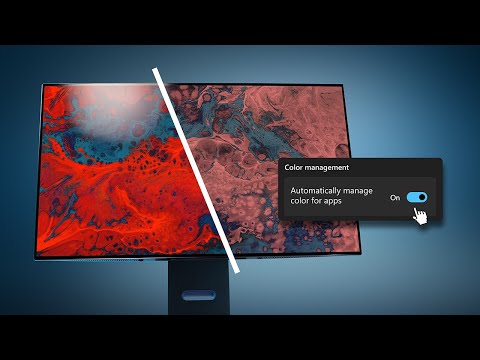
Hmmm, don't remember if I was aware of Windows ACM (Automatic Color Management)Comment

 That it is.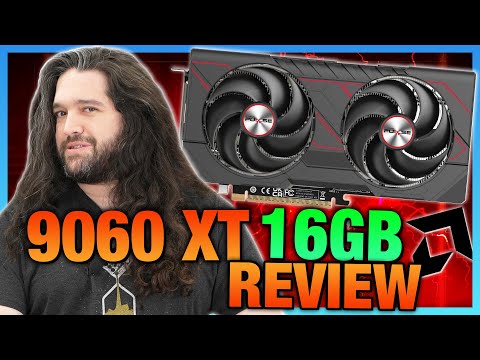

Comment