

Yeah first person shooter stuff. I have never had a need for that.
-
l i t t l e s t e p h e r s
 -
Just a heads up
This 24h2 KB5063878 update from 8/13 seems to be killing hard drives.
Those containing the Phison nand controller. I checked my
Samsung NVMe and luckily it doesn't use that controller but
it's own "Samsung Phoenix controller".
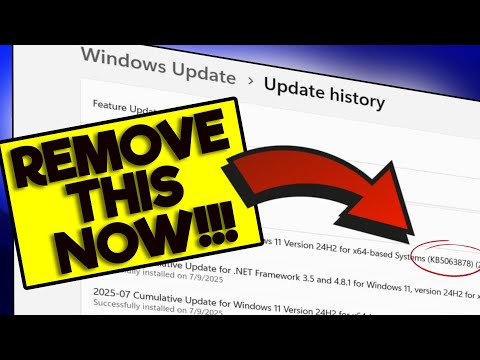
I took a look at my update history and it seems Windows has been trying to install this update
since August 14 with no success heh.
I looked up that failed to install error code
"To resolve error 0x80070306, try these methods: run the Windows Update troubleshooter, manually install the update from the Microsoft Update Catalog after checking your system type, use the Windows 11 Installation Assistant, run SFC and DISM commands to repair system files, or perform a repair installation of Windows from the recovery options"
I haven't done those two in a while. I've only ran the chkdsk daily.
Edit: Looks like the sfc check is fine
c:\sfc /scannow
Beginning system scan. This process will take some time.
Beginning verification phase of system scan.
Verification 100% complete.
Windows Resource Protection did not find any integrity violations.Comment
-
Your obsession with chkdsk and sfc is a little weird. Do you keep your fingernail trimmings?
That SSD thing was debunked already.
https://www.pcgamer.com/software/win...icking-drives/
https://www.bleepingcomputer.com/new...kill-your-ssd/
l i t t l es t e p h e r sComment
-
I am having this annoying issue.
https://learn.microsoft.com/en-us/an...-in-windows-11
The media keys on the keyboard do not work in Foobar2000 unless it is in the foreground. They worked in Win10 but not Win11. This means I can't adjust the music in any way while gaming without tabbing out.l i t t l es t e p h e r sComment
-
Bummer. Back to listening to the transistor 📻 instead of YT while gaming.Magnús: - I have fans of all ages and I don't think it's weird when older people like LazyTown. LazyTown appeals to people for many different reasons: dancing, acrobatics, etc.Comment
-
I don't listen to YT, I listen to mp3's played locally on Foobar2000, a media player app on my PC.l i t t l es t e p h e r sComment
-
Found a Foobar setting that fixed it.
l i t t l es t e p h e r sComment
-
Magnús: - I have fans of all ages and I don't think it's weird when older people like LazyTown. LazyTown appeals to people for many different reasons: dancing, acrobatics, etc.Comment
-
I'd still hold off as well if you have a Phison nandI cautioned last week I'd personally be tempted to hold off on KB5063878, especially if you have any of the implicated drives on the list. I'd hold to that for now, but it's increasingly looking like this is at worst a fairly limited issue and not the widespread destroyer of SSDs that was first mooted.
I have documented what started that entire journey. It began with using Windows 11 and I'm not the only one.
The chkdsk, sfc and dism were the answers to correct whatever the hell windows was doing.
Since redoing the OS with 24h2, back in April I think, it hasn't been as obnoxious. I still get the occasional
chkdsk drive errors which is corrected with the chkdsk /f which will fix the issue on a reboot and
a boot in drive check and fix. Not so much on the sfs and dism side anymore.Comment
-
But don't you only get the errors if you do a chkdsk in the first place? Maybe just stop doing them. I might have been getting chkdsk errors for 20 years and never noticed or cared.
How do you know if you have a Phison nand?l i t t l es t e p h e r sComment
-
No. Sometimes the errors will crop up on those random windows 11 BSODs.
When I put together this new rig and installed windows 11 back in 2022, I didn't do any of that.
As time went on, the computer became impossible to deal with. The updates weren't installing.
Constant BSODs. Etc.... I did cursory check of the hardware first and all seemed fine. The memory
check etc... The Motherboard voltages and settings were all good. So I began looking. First recommend was to
do a chkdsk. And sure enough it wouldn't even finish the full check with whatever error I got back. Did the chkdsk /f
and the reboot and the drive fix and the chkdsk came back with no errors on the drive. Updates and such still
wouldn't work so I found out about doing the sfc and the dism fix.
Those issues would constantly crop up. Now that I did a complete OS install with the 24h2, those issues have seem
to gone away except for that one with the hard drive errors. Again, sometimes it would be due to a particular BSOD.
On the reboot back in after the BSOD, I would run the chkdsk and an error would be there. I'd do a normal reboot to be sure
and the error would still be there until I did the chkdsk fix.
I pretty much don't even do the sfc check and dism anymore since doing the OS refresh. The drive error though
seems persistent. Now it could be I got a dodgy drive too but who knows. I think I've gone about a week or two without
even doing a daily chkdsk back in June. Until, the computer started acting wonky again. And sure enough drive error.
I still get the random BSODs. But not as bad before. So, I made it habit do a chkdsk after a BSOD. Even when I first boot
up the computer the first time for the day.
There's enough people having the same issues that I was able to find these answers so quickly at the time.
As I stated, Samsung doesn't use outside 3rd party for their NVMe drives
https://www.samsung.com/us/business/...xplore/b2bapp/
My current primary drive:
SAMSUNG 970 EVO Plus SSD 1TB NVMe M.2
https://www.samsung.com/us/business/...mz-v7s1t0b-am/
"Featuring our latest V-NAND technology and a newly enhanced Phoenix controller"
That's their own proprietary controllerComment
-
The only thing now that's getting up there in age is the power supply which I bought back in December 2019.
Past the warranty now December 2024. It'll be 6 years this coming December.
EVGA 210-GQ-0750-V1 750 GQ, 80+ GOLD 750W, Semi Modular, EVGA ECO Mode, 5 Year Warranty, Power Supply, Black
Comment
-
Sounds like you have a bad drive. Is there a way to scan it and see how many bad sectors and whether they're increasing over time?l i t t l es t e p h e r sComment
-
At first I thought it was the memory because most of the BSODs were memory errors.
I'd get other errors randomly but it was mostly memory. With the refreshed OS install,
I still get the random memory error and a few others. I keep meaning to log them but it
happens so fast before the screen go aways for the reboot....
It could something going on with the hard drive. I'm about to check that out since
I decided to look for some NVMe diagnostic tool. Samsung does have one it seems.
Don't remember if I ever looked that up before.
https://semiconductor.samsung.com/co...rage/magician/
Supposedly it also diagnosis the controller too.
"Third-Party Tools: Download and run a portable application like SSD-Z. This tool can provide detailed information about your SSD, including its controller. Alternatively, use your SSD's manufacturer-provided software (e.g., Samsung Magician for Samsung SSDs) to find more details about your drive and its controller."
Comment
-
Yeah I have Samsung's. Except for that free one I got, forget the name. It's not even enabled right now.l i t t l es t e p h e r sComment


Comment